
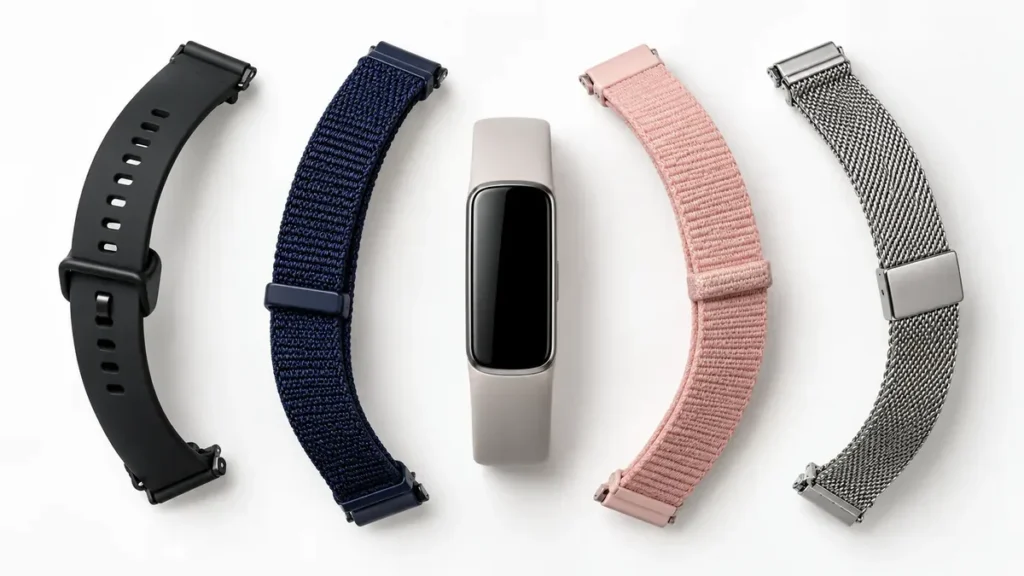
A new band is the easiest way to refresh your Fitbit Charge 6 — or finally fix one that’s uncomfortable or keeps coming loose. But two things trip Charge 6 owners up: buying a band that actually fits the Charge 6, and getting one that stays put and doesn’t irritate your skin. This guide covers exactly which bands fit, how to avoid the ones that fall off, and the best style for how you wear your tracker.
Which bands fit the Fitbit Charge 6?
The Charge 6 uses the same bands as the Fitbit Charge 5 — the two share an identical design and attachment mechanism, so any band made for the Charge 5 fits the Charge 6, and vice versa. That’s good news, because it roughly doubles the selection available to you.
What doesn’t fit: bands for the older Charge 4 and Charge 3 use a different connector and won’t work. And bands for other Fitbit lines — Versa, Sense, Inspire, Luxe, Fitbit Air — are not compatible either. When you shop, look specifically for “Fitbit Charge 6” or “Charge 6 / Charge 5” on the listing; anything vaguer is a gamble. The official styles come in Sport (silicone), Hook & Loop (nylon), and Infinity (stretch), and there’s a huge aftermarket in every material beyond those.
Why some Charge 6 bands keep falling off — and how to avoid it
One of the most common Charge complaints is a band that pops off unexpectedly. It’s almost always down to the band, not the tracker: cheap straps often have weak or poorly-moulded latches that don’t grip the Charge 6’s slots securely. Because the Charge is small and light, a latch that’s even slightly off can let go mid-day — and losing the tracker is a real risk.
To avoid it, choose a band with a solid, well-fitted latch, and when you attach it, press each end in until you feel and hear a distinct click, then give the band a firm tug to confirm both sides are locked. If a band feels loose or rattles at the connector the day it arrives, send it back — a secure fit at the attachment point matters more than looks.
How to change a Charge 6 band
It takes seconds and needs no tools. Turn the tracker over, locate the small latches on the back, and push the flat buttons on the underside toward the band with your fingernails. Gently pull the band away to release it, and repeat on the other side. To attach the new band, line it up and press it into the end of the device until it snaps into place with a click. Do both ends, then tug gently to make sure it’s locked.
Best band styles for the Charge 6
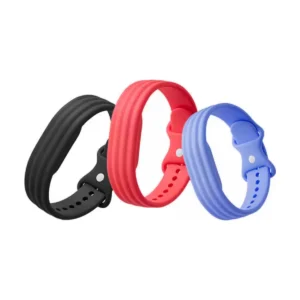
Silicone sport: The everyday all-rounder — sweatproof, water-friendly, and easy to wipe clean. Best for workouts and daily wear.
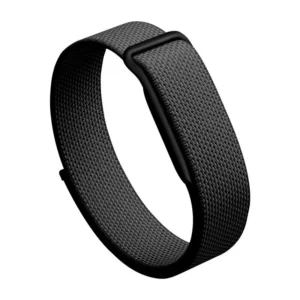
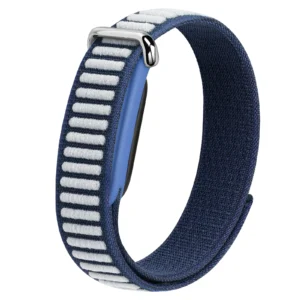
Hook & loop / woven nylon: Light, breathable, and endlessly adjustable, which makes it the comfort pick and a great option for smaller wrists or anyone whose wrist swells during exercise.
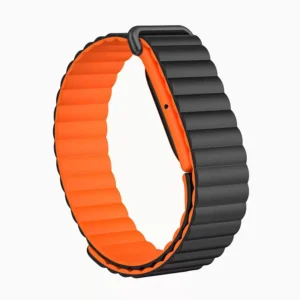
Infinity / stretch: A single stretchy loop with no clasp — sleek, low-profile, and comfortable for all-day and overnight wear.
Metal mesh & link: Dresses the Charge 6 up for the office. Durable but heavier, and link bands may need sizing.
Leather: A smart dress band for work or an evening out — just keep it away from sweat and water, and swap to silicone for the gym.
Getting the size and fit right
Charge 6 bands typically come in Small and Large. Measure your wrist with a flexible tape or a strip of paper just above the wrist bone and check it against the band’s size range. If you have a smaller wrist, an adjustable hook-and-loop or stretch band is the safest choice because it fine-tunes to your wrist instead of relying on fixed holes — and it avoids the too-loose fit that makes a band feel like it might slip. A band should sit snug enough to keep the sensor on your skin but loose enough to slide slightly.
Comfort and avoiding a band rash
Skin irritation under a Charge is common, and it’s usually about fit and hygiene rather than the band material. To prevent a rash: keep the band and your wrist clean and dry, don’t wear it so tight that it leaves a mark, give your skin a break by taking the tracker off for a while each day, and let the band dry fully after workouts or showers. If your skin reacts easily, lean toward breathable woven nylon or soft, high-quality silicone, and consider rotating between two bands so each dries out. If irritation persists, loosen the fit and switch materials before anything else.
Keeping your band clean
Silicone: Rinse under warm water, use a little mild soap for grime, and dry fully before wearing.
Nylon/fabric: Hand-wash in lukewarm soapy water, rinse, and air-dry completely — never put it back damp.
Metal: Wipe with a soft, slightly damp cloth and dry it; a soft brush clears dust from the links.
Avoiding cheap, low-quality bands
There are hundreds of Charge 6 bands out there, and quality varies enormously. Beyond the loose-latch problem, cheap bands can arrive with stiff silicone that smells of chemicals or coatings that flake within weeks. Buy a band that clearly lists Charge 6 (or Charge 6 / Charge 5) compatibility, describes the real material, and is sold honestly as compatible (not a counterfeit “official” Fitbit product) by a seller who stands behind it. A little more from a reputable source beats replacing a cheap band — or a lost tracker — later.
Find the right band
Not sure a band will fit, or own more than one Fitbit? See our guide to whether Fitbit bands are interchangeable for the full compatibility picture. For help choosing by material and use case across the Fitbit range, see our guide to the best Fitbit watch bands, and browse our Fitbit bands collection.
Frequently asked questions
Do Fitbit Charge 5 bands fit the Charge 6? Yes. The Charge 5 and Charge 6 share the same design and attachment mechanism, so Charge 5 bands fit the Charge 6 perfectly.
Will Charge 4 or Charge 3 bands fit the Charge 6? No. The older Charge 3 and Charge 4 use a different connector and aren’t compatible with the Charge 6.
Why does my Charge 6 band keep falling off? Usually a cheap band with a weak latch that doesn’t grip securely. Choose a band with a solid latch, press each end in until it clicks, and tug to confirm it’s locked. Replace any band that feels loose at the connector.
What size band does the Charge 6 take? Most come in Small and Large. Measure your wrist and check the band’s range; for smaller wrists, an adjustable hook-and-loop or stretch band fits best.
How do I change the band? Push the flat buttons on the underside toward the band to release it, pull it off, then press the new band in until it clicks on both sides. No tools needed.

Comments