
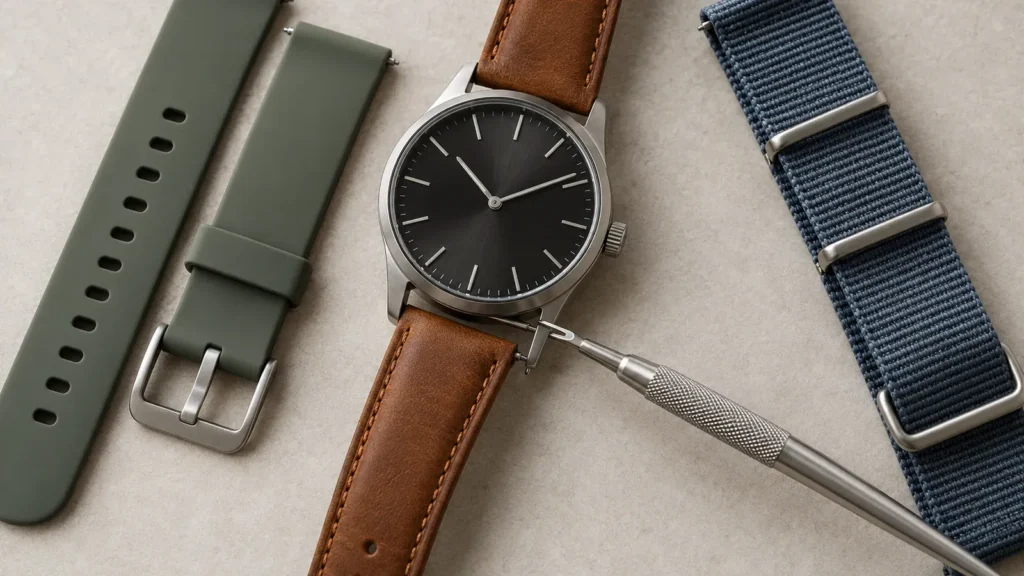
Changing a watch band is one of the easiest ways to give a watch a new look — and you can almost always do it yourself in a couple of minutes. The catch is that there are several different attachment systems, and most guides only cover traditional watches. This one covers them all, including smartwatches like the Apple Watch, Samsung Galaxy Watch, Fitbit and Garmin, plus the things people actually get stuck on: measuring lug width, freeing a stiff band, and getting the fit right.
What you will need
For most traditional watches, a single tool does the job: a spring bar tool (a small, inexpensive double-ended tool — one end forked, one end pointed). It’s the one piece of kit worth owning, and yes, a basic spring bar tool is enough for the vast majority of band changes. You may also want a soft cloth or mat to rest the watch on and avoid scratches, and a small screwdriver for screw-pin bands. Most smartwatches need no tools at all.
Step 1: Identify your band attachment type
Before you buy or swap anything, work out how your band attaches:
- Spring bars — the classic system: a spring-loaded pin at each lug. Most traditional watches.
- Quick-release spring bars — the same idea but with a tiny lever on the pin, so you can swap bands with no tool.
- Screw pins — held by screws you undo with a small screwdriver.
- NATO / pass-through — the strap threads under fixed spring bars.
- Smartwatch systems — Apple Watch uses a slider button; Samsung, Fitbit and Garmin use quick-release pins or their own clip-in bands (more on these below).
Step 2: Measure your lug width (so the new band actually fits)
This is the step most guides skip, and it’s the one that trips people up. The lug width is the gap between the two lugs where the band sits, measured in millimetres. To find it: take the old band off (or measure the gap directly) and measure the width of the band end with a ruler or calliper — common sizes are 18mm, 20mm and 22mm. Buy a band that matches that number exactly. If your watch has an integrated bracelet (the band is shaped to flow into the case), your choice is limited to bands made for that specific model, so check compatibility before buying.
Step 3: Change the band — by attachment type
Spring bar bands
- Lay the watch face-down on a soft cloth.
- Slide the forked end of the spring bar tool between the band and the lug, catch the spring bar’s shoulder, and compress it inward.
- Once one side releases, lift the band away; repeat for the other lug.
- Fit the new band by inserting one end of the spring bar into a lug hole, compress the other end, and let it click into place.
- Tug gently to confirm it’s locked in.
Quick-release bands (no tool)
- Flip the band over to find the small lever on the spring bar.
- Slide the lever to retract the pin and lift the band out.
- Line up the new band, retract its lever, seat one side, then release so it snaps in.
Screw-pin bands
- Use a matching screwdriver to loosen and remove the screw on each side.
- Swap the band and re-insert the screws, tightening until snug (don’t overtighten).
NATO / pass-through straps
- Leave the spring bars in place.
- Thread the strap under the bottom spring bar, up behind the case, and out under the top bar, then fasten.
Smartwatch bands
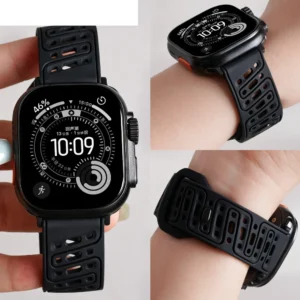
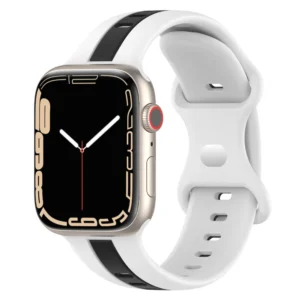
Apple Watch: hold the band-release button on the back of the case and slide the band sideways out of its channel; slide the new one in until it clicks. No tool needed.
Samsung Galaxy Watch (4, 5, 6, 7 and Classic): these use standard 20mm quick-release bands — slide the little lever and swap. Browse Samsung Galaxy Watch bands. The Galaxy Watch Ultra uses its own system and needs Ultra-specific bands.
Fitbit: most Fitbit trackers use a quick-release or press-and-slide clip unique to each model — press the latch on the back of the band and pull it free, then click the new one in. See Fitbit bands.
Garmin: many use QuickFit (twist-and-lock) or standard spring bars depending on the model.
Dealing with a stiff or stuck band
Silicone and resin bands can grip hard and feel impossible to remove. Don’t force a spring bar tool and risk scratching the lug — instead, warm the band slightly (a few minutes of wrist wear or a warm cloth) to make it more flexible, and apply steady pressure rather than sudden force. For spring bars that won’t budge, make sure the forked tip is seated squarely on the spring bar shoulder before compressing. Patience beats force every time.
Getting the fit right
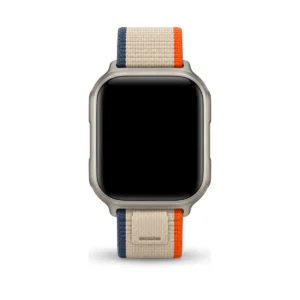
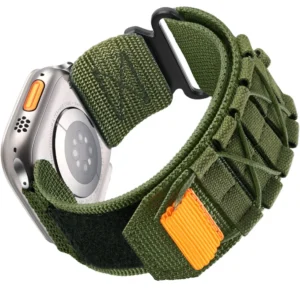
A band should be snug enough that the watch doesn’t slide, but loose enough to slip one finger underneath. For link bracelets, removing a link can leave it too tight while adding one makes it too loose — the fix is a clasp with micro-adjustment holes, or half-links for a finer fit. If you have a small wrist, look for bands with extra adjustment range (nylon loops and magnetic straps are the most forgiving) and a shorter length so there’s no long tail flapping around.
Avoiding scratches
Always work on a soft surface, keep the tool tip controlled so it doesn’t slip across the case, and consider placing a thin strip of tape along the lugs while you work. A few seconds of prep saves a scratch you’ll see forever.
Final check
Before you wear it, pull firmly on both ends of the new band. If either side pops loose, the spring bar or pin isn’t fully seated — reinstall it until it holds. A secure band means no dropped watch.
Ready for a new band?
Once you know how easy swapping is, a few bands let one watch suit the gym, the office and the weekend. Browse by type — silicone sport, nylon loop — or by watch: Apple Watch, Samsung Galaxy Watch, and Fitbit.
Frequently asked questions
Do I need special tools to change a watch band? For most traditional watches, just an inexpensive spring bar tool. Quick-release bands and most smartwatch bands need no tools at all.
How do I know what size band to buy? Measure the lug width — the gap between the lugs in millimetres (commonly 18, 20 or 22mm) — and match it exactly.
My band is stuck and won’t come off. What do I do? Warm it to soften the material, seat your tool squarely on the spring bar, and use steady pressure rather than force. Avoid prying against the case.
Can I change the band on any smartwatch? Almost always. Apple Watch uses a slide-and-release button, Samsung Galaxy Watch uses 20mm quick-release (except the Ultra), and Fitbit uses model-specific clips. All are tool-free.
What if I have a small wrist? Choose bands with more adjustment range — nylon loops and magnetic straps — or a shorter band length so it fits cleanly.

Comments